 AI Outreach Agent
New customers, one short email at a time.
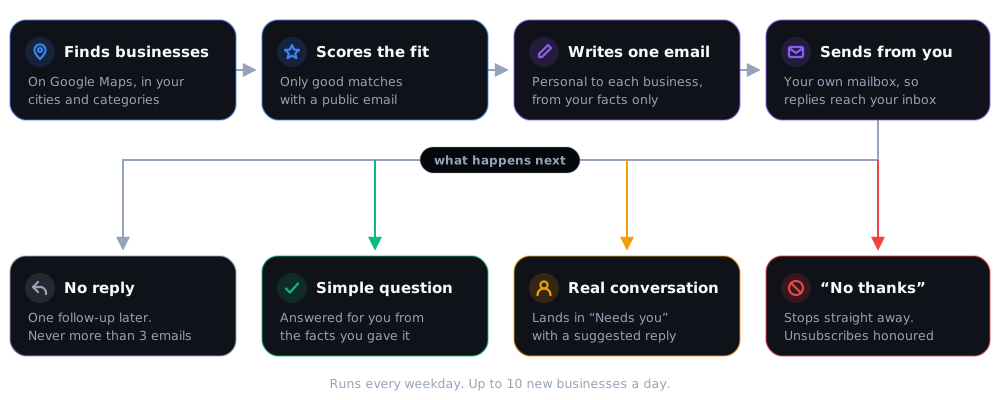
Pick up to 10 cities and the kinds of businesses you sell to. Each weekday the agent finds new ones on Google Maps, scores how well they fit, and writes each a short, personal email from your own mailbox. It follows up once, answers simple questions, and passes every real conversation to you.
Set it up once. It runs every weekday.
You start with dry runs: the agent writes the emails but sends nothing until you've read them.
A short form: what you do, who it's for, what it doesn't do, your price and the ask. The agent only states those facts — it never invents claims or discounts.
Up to 10 cities in Canada (outside Quebec) or the US, and up to 5 kinds of business — "dental clinic", "plumber", "physiotherapy". It finds up to 10 new businesses a day that publish a contact email.
Emails go from your own address (Google Workspace, Microsoft 365, Zoho or any mailbox with SMTP/IMAP), so replies land in your inbox. You connect it with an app password, and your domain needs SPF and DMARC records so emails don't land in spam. New mailboxes start slowly to protect your sender reputation. Mailbox guide →
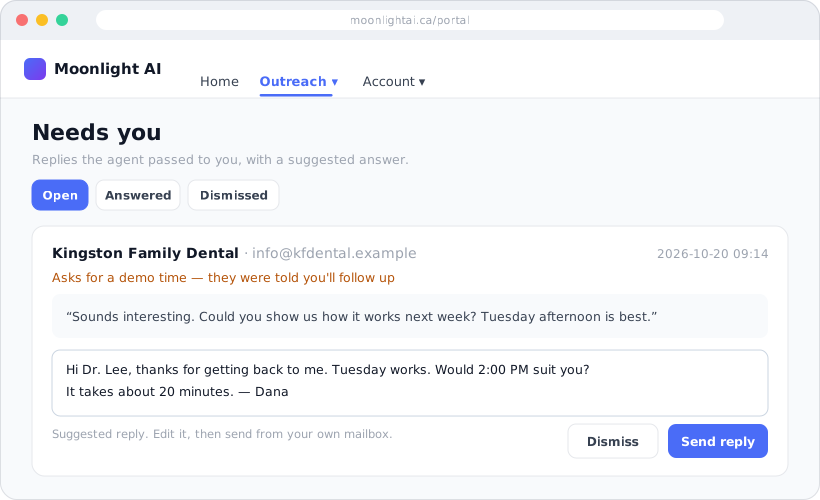
One follow-up per lead, at most three emails in total. Unsubscribes are honoured straight away. Questions it can answer from your facts get a reply; anything else lands in "Needs you" in your Portal.
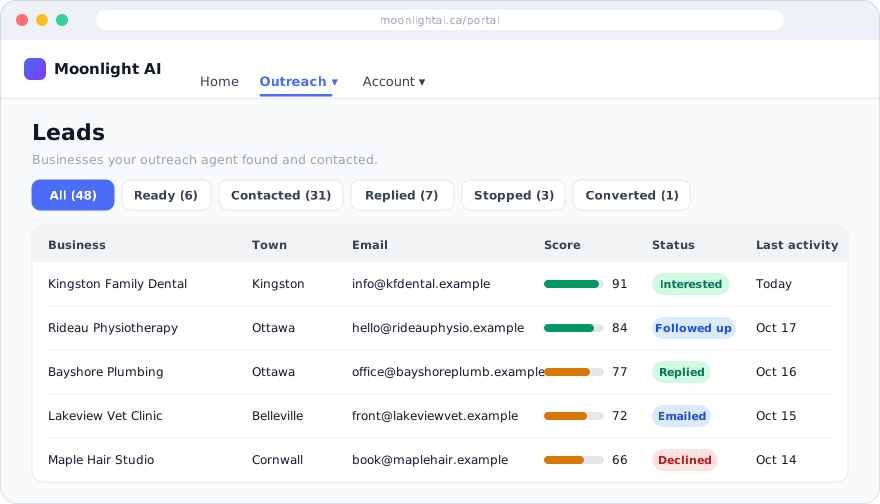
What you see in your Portal:
One plan. One monthly price.
— per month — the agent, lead search on Google Maps, AI-written emails and replies, the Portal and your do-not-contact list. No usage charges.
Limits: 1 run a day on weekdays · 10 new leads a day · 10 first emails a day · 30 emails a day in total · 2 automatic replies per lead.